AI-Powered Key Takeaways


Table of Contents

An application may perform well with a few users but slow down when thousands access it simultaneously. Some performance problems appear only during sudden traffic increases, while others develop after hours of continuous use. Performance testing helps teams identify these issues before they affect users.
There are several types of performance testing, each designed to evaluate software under different conditions. The six core types are load, stress, spike, endurance, volume, and scalability testing. Teams may also use more specialized approaches, including peak, capacity, network-condition, and concurrency testing.
Understanding these differences helps QA teams and developers choose the right tests, measure the right performance metrics, and identify issues more effectively.
This guide explains the different types of performance testing with examples, their purposes, and how to select the right approach for your application.
What Is Performance Testing in Software Testing?
Performance testing is a type of non-functional software testing that evaluates an application's speed, stability, responsiveness, and resource usage under defined conditions. It helps determine whether a system meets its performance requirements when handling user traffic, processing data, or operating under different network conditions.
Unlike functional testing, which checks whether a feature works correctly, performance testing examines how efficiently that feature operates.
For example, functional testing may verify that customers can complete a payment on an e-commerce application. Performance testing checks how quickly the payment is processed, how the system responds when many customers pay simultaneously, and whether response times remain within acceptable limits.
The different types of performance testing in software testing examine several aspects of system behavior:
- Speed: How quickly the application responds to requests and user interactions.
- Stability: Whether the application continues operating reliably under different workloads.
- Scalability: How effectively the system handles increasing demand.
- Resource utilization: How efficiently the application uses CPU, memory, network bandwidth, and other resources.
- Recovery: How the system behaves when overloaded and whether it returns to normal performance afterward.
Performance testing can assess individual components, APIs, databases, complete applications, and end-to-end user journeys. The testing scope depends on the application's architecture and performance requirements.
Importance of Performance Testing
An application can pass functional tests and still provide a poor user experience. Slow page loads, delayed responses, excessive resource consumption, and unexpected failures may only become visible when the application operates under realistic conditions.
Performance testing helps teams identify these problems and understand their causes.
1. Identifies Performance Bottlenecks
A bottleneck occurs when a component limits the overall performance of an application.
For example, an API may respond quickly under light traffic but become slower as the database receives more queries. Performance testing can reveal this behavior by measuring response times, database activity, and resource usage at different workload levels.
These findings help developers identify components that require further investigation or optimization.
2. Helps Maintain Application Stability
Applications must handle varying workloads without unexpected failures.
Performance testing evaluates how systems behave during sustained activity, increasing traffic, and resource pressure. It can reveal issues such as memory leaks, connection exhaustion, and deteriorating response times.
Identifying these issues before deployment reduces the likelihood of encountering them in production.
3. Supports Scalability and Capacity Planning
As applications grow, their infrastructure requirements may change.
Performance testing helps teams understand the relationship between workload and available resources. This information supports decisions about server capacity, database optimization, infrastructure configuration, and scaling strategies.
For example, scalability testing can help determine whether adding application instances improves throughput sufficiently to justify the additional resources.
4. Improves the User Experience
Application performance directly affects how users interact with software.
A shopping app with slow product pages, a video application with playback interruptions, or a banking app with delayed transaction responses can frustrate users even when the underlying features function correctly.
Testing application responsiveness across devices, workloads, and network conditions helps identify issues that backend measurements alone may not reveal.
5. Detects Performance Regressions
A new software release may introduce performance problems even when existing functionality continues to work.
Regular performance testing allows teams to compare results across builds and detect changes in response times, resource usage, and other metrics.
When incorporated into development and release workflows, these comparisons help teams investigate regressions before deployment.
Different Types of Performance Testing (With Examples)
The main difference between performance testing types is the condition being evaluated. Some tests focus on expected workloads, while others examine sudden demand, sustained operation, increasing data volumes, or system limits.
The following breakdown covers 10 types of performance testing with examples and explains when each is useful.
1. Load Testing
Load testing evaluates how an application performs under expected user traffic or transaction workloads.
It measures whether the system can handle normal and anticipated peak usage while maintaining acceptable response times, throughput, and error rates.
During a load test, teams simulate representative user activities and gradually introduce the planned workload. They then observe how the application and its supporting infrastructure respond.
Example:
Consider an e-commerce application that expects 5,000 concurrent shoppers during a seasonal sale.
A load test could simulate users browsing products, searching for items, adding products to their carts, and completing purchases. The objective would be to determine whether these operations meet defined performance targets throughout the test.
Teams might measure checkout response time, successful transactions per second, error rates, and server resource usage.
When to perform load testing: Use it when you need to validate application performance under expected traffic, establish a performance baseline, or prepare for a release or planned high-traffic event.
What You Should Track
- 95th-percentile (p95) response time for critical transactions.
- Requests or successful transactions processed per second.
- Request or transaction error rate at the expected workload.
2. Stress Testing
Stress testing evaluates how a system behaves when workloads increase beyond normal or expected operating levels.
Its purpose is to identify performance limits, observe how the application handles excessive demand, and understand what happens when resources become constrained.
Stress testing may continue until response times become unacceptable, errors increase significantly, or the system reaches a defined failure condition.
Example:
Suppose a banking application is designed to handle 10,000 concurrent users.
A stress test could progressively increase the workload beyond that expected level while monitoring response times, errors, and infrastructure utilization.
The test would help determine where performance starts deteriorating, whether the application handles overload without uncontrolled failures, and how quickly normal operation resumes after traffic decreases.
When to perform stress testing: Choose it when investigating system limits, overload handling, or recovery behavior. It is particularly useful before high-demand events or significant infrastructure changes.
Unlike load testing, which primarily validates expected usage, stress testing deliberately examines behavior under unusually demanding conditions.
What You Should Track
- Workload level where response times or error rates exceed acceptable limits.
- CPU, memory, and connection utilization under overload.
- Time needed to recover after the workload decreases.
3. Spike Testing
Spike testing measures how an application responds to sudden, substantial increases or decreases in workload.
The defining characteristic is the speed of the change rather than simply the number of users.
A system may handle a particular workload when traffic increases gradually but struggle when the same workload arrives almost immediately.
Example:
Imagine a ticket-booking application releasing seats for a popular concert.
Thousands of customers may attempt to access the booking page within seconds of ticket sales opening.
A spike test can reproduce this sharp increase in incoming traffic and measure whether the system continues accepting requests, responds within acceptable limits, and recovers after demand decreases.
Relevant metrics include response time during the spike, failed requests, request queue length, and recovery time.
When to perform spike testing: Use it for applications that experience flash sales, ticket releases, promotional announcements, breaking-news traffic, or other abrupt changes in demand.
What You Should Track
- Response times during the sudden traffic increase.
- Failed or rejected requests at the height of the spike.
- Time taken to return to normal performance after the spike.
4. Endurance Testing
Endurance testing, also called soak testing, evaluates application performance under sustained workloads over an extended period.
Some performance problems become visible only after a system has been operating continuously. These may include memory leaks, resource exhaustion, increasing response times, and database connection problems.
Rather than concentrating on maximum traffic, endurance testing examines whether performance remains consistent over time.
Example:
Consider a video streaming service that supports long playback sessions.
An endurance test could maintain representative streaming activity over several hours while monitoring memory consumption, CPU usage, playback interruptions, and application responsiveness.
The test may reveal a gradual increase in memory consumption or other performance degradation that would not be apparent during a short test.
When to perform endurance testing: Select this approach for applications and services that run continuously or handle long sessions, including streaming platforms, communication services, and backend applications.
There is no universal minimum duration for an endurance test. The appropriate duration depends on the system, expected usage, and the issues being investigated.
What You Should Track
- Memory and CPU usage trends throughout the test.
- Response time and error rate over extended operation.
- Database connection counts and other resource usage trends.
5. Volume Testing
Volume testing evaluates application performance when the system processes or stores large amounts of data.
Unlike load testing, which primarily examines workload generated by user activity or transactions, volume testing focuses on the effects of data size and data-processing demands.
Large datasets may introduce database query delays, indexing problems, storage limitations, or slower batch-processing operations.
Example:
A financial application may need to generate reports from millions of transaction records.
A volume test could populate the database with a representative large dataset and measure how long it takes to generate reports, search transactions, and process updates.
The test would help identify whether increasing data volume affects query performance, processing time, or resource consumption.
When to perform volume testing: Use it when applications handle large databases, transaction histories, log files, bulk uploads, or other data-intensive operations.
Volume testing is especially valuable before database migrations, major data growth, and changes to data-processing functionality.
What You Should Track
- Database query and report generation times as data volume grows.
- Data-processing throughput for bulk operations.
- Database CPU utilization, memory usage, and disk I/O.
6. Scalability Testing
Scalability testing evaluates how an application's performance changes as workload and computing resources increase or decrease.
It helps determine whether the system can support additional demand efficiently through changes such as adding servers, increasing processing capacity, or modifying infrastructure configurations.
Scalability testing goes beyond checking whether the application can handle more users. It examines how performance changes relative to the resources added.
Example:
Suppose a food delivery application expects substantial growth in its user base.
The testing team could measure throughput and response times with one application server, then repeat comparable tests with two and four servers.
Comparing the results would show how additional infrastructure affects performance and whether another component, such as the database, becomes a bottleneck.
When to perform scalability testing: Use it when planning for business growth, expanding into new markets, evaluating autoscaling behavior, or changing infrastructure.
Scalability testing helps assess whether an application can grow efficiently, rather than merely determining the highest workload it can tolerate.
What You Should Track
- Throughput gained as servers or computing resources are added.
- Response times at each workload and resource level.
- CPU and memory utilization at each scaling step.
7. Peak Testing
Peak testing evaluates how an application performs during its highest anticipated workload.
It is commonly treated as a specialized load-testing scenario because the test focuses on expected peak demand rather than ordinary traffic.
The workload may increase gradually and remain elevated for a defined period. This distinguishes peak testing from spike testing, where the sudden change in demand is the primary concern.
Example:
A food delivery application may experience its highest order volume during dinner hours.
A peak test could reproduce the expected maximum order rate and maintain it long enough to measure order-processing performance, payment response times, and system resource usage.
The test would help determine whether the application meets its performance requirements during its busiest expected operating period.
When to perform peak testing: Use it when an application has predictable high-demand periods, such as holiday shopping, major sporting events, or scheduled promotional campaigns.
What You Should Track
- p95 response time during the highest anticipated traffic.
- Transactions processed per second and error rate at peak demand.
- CPU, memory, and connection utilization under peak load.
8. Capacity Testing
Capacity testing determines the maximum workload a system can sustain while meeting defined performance requirements.
It is closely related to load and stress testing, but the objective is more specific: establish the system's usable capacity under a particular configuration.
A system's capacity is not necessarily the point at which it crashes. It is often the highest workload that still meets acceptable response-time and error-rate targets.
Example:
Consider an online payment service with a requirement that 95% of payment requests complete within two seconds.
A capacity test could progressively increase the transaction rate while measuring whether the service continues meeting that requirement.
If response times exceed the target or errors become unacceptable, the team can identify the highest tested workload that still satisfied its performance criteria.
The two-second requirement in this example is hypothetical, not a universal performance standard.
When to perform capacity testing: Use it for infrastructure sizing, capacity planning, launch preparation, and decisions about how much demand a system can safely support.
What You Should Track
- Highest sustainable concurrency or throughput within performance targets.
- Response times and error rates near the capacity limit.
- CPU, memory, and connection utilization at that limit.
9. Network Performance Testing
Network performance testing examines how network conditions affect application responsiveness, reliability, and user experience.
This can involve testing under different levels of bandwidth, latency, jitter, and packet loss, or observing application behavior across actual network connections.
Network throttling is one technique used in this approach. It artificially limits or modifies connection characteristics to help reproduce specific network conditions.
Unlike load or stress testing, network-condition testing does not necessarily involve increasing the number of users.
Example:
A mobile banking application may respond quickly on a stable Wi-Fi connection but experience delays over a slower or less reliable mobile connection.
Testers could evaluate login, account balance retrieval, and transaction confirmation under different network conditions.
They could measure loading times, request failures, and how the application handles interrupted connections.
When to perform network performance testing: Use it for mobile applications, streaming services, communication platforms, and other applications whose performance depends heavily on network connectivity.
Testing across real devices and networks can complement simulated conditions, since actual network behavior and device characteristics may introduce additional performance differences.
What You Should Track
- Network latency, packet loss, and available throughput.
- Page or screen load times under each network condition.
- Request timeouts and failed transactions.
10. Concurrency Testing
Concurrency testing evaluates how a system handles multiple operations occurring at the same time, particularly when those operations access shared resources.
It overlaps with load testing and functional correctness testing. Its performance-related focus is on delays, resource contention, locking, and throughput during simultaneous activity.
Concurrency tests can also expose race conditions and inconsistent results, which require functional correctness checks alongside performance measurements.
Example:
Imagine an airline booking application where multiple customers attempt to reserve the final available seat.
A concurrency test could initiate simultaneous booking requests and verify whether the system processes them correctly without excessive delays, deadlocks, or inconsistent reservation records.
The test would measure response times and resource contention while checking that the application does not confirm the same seat for multiple customers.
When to perform concurrency testing: Use it for systems where users frequently modify shared data or compete for limited resources, including reservation platforms, financial systems, inventory applications, and collaborative software.
What You Should Track
- Response times for operations executed simultaneously.
- Lock wait times and contention for shared resources.
- Deadlocks, failed operations, and data consistency errors.
How to Choose the Right Type of Performance Testing
Choosing the right performance testing approach starts with understanding what you want to learn about the application.
Running every available test is not always necessary. A smaller selection of well-designed tests can provide more useful information than running multiple tests without clear objectives.
1. Identify Your Performance Testing Goal
Start by defining the specific behavior you want to evaluate.
These approaches are not mutually exclusive. A single application may require several tests to evaluate its most important performance risks.
2. Understand Expected User Behavior and Workloads
Performance tests should reflect how people and systems actually use the application.
Consider the number of active users, how frequently they perform actions, which features they access, and how traffic changes over time.
For example, an e-commerce application's workload may include customers browsing products, searching for items, viewing carts, and completing payments.
Testing only product-page requests would not adequately represent the performance demands of the complete shopping journey.
Also, distinguish between concurrent users and request arrival rates. They measure different aspects of workload, and the most suitable way to generate traffic depends on the application's behavior.
3. Define the Metrics You Need to Measure
The right metrics depend on the testing objective.
Average response time alone may not provide enough information.
For example, the 95th percentile response time (p95) indicates a duration at or below which 95% of measured responses fall. It can help reveal slower requests that an average might conceal.
For mobile applications, additional metrics such as app launch time, frame rate, battery consumption, and device memory usage may also be important.
4. Establish Performance Requirements Before Testing
Define the conditions that determine whether a test passes or fails.
For example, a team might establish the following hypothetical requirements for an application's checkout API:
- Support 1,000 requests per second for a defined test period.
- Complete at least 95% of requests within 800 milliseconds.
- Maintain an error rate below 1%.
These values are illustrative. Actual targets should come from application requirements, production data, business needs, or established service-level objectives.
Without measurable acceptance criteria, teams may collect extensive performance data without knowing whether the results are acceptable.
5. Select Appropriate Testing Tools and Environments
Choose tools based on the system components and workloads being evaluated.
For example, Apache JMeter, Gatling, and Grafana k6 support generating and measuring application or API workloads. Other tools may be needed for database analysis, infrastructure monitoring, network testing, or real-device performance measurement.
Make sure the testing environment represents relevant production characteristics, including infrastructure configuration, data volumes, network conditions, and application dependencies.
The load-generating infrastructure must also have sufficient capacity. Otherwise, limitations in the test generator may be mistaken for limitations in the application.
Where possible, use controlled environments for high-intensity stress or capacity tests to avoid disrupting production services.
6. Run Tests in a Practical Sequence
A useful approach is to begin with a small performance smoke test to confirm that the test scripts and environment work correctly.
Next, establish baseline measurements under a known workload. Run expected-load tests to validate normal performance, then add other testing types according to application risks.
For example, a streaming platform might prioritize endurance and network performance testing, while an online ticketing platform may need load, spike, capacity, and concurrency testing.
After identifying performance issues, teams can make changes and repeat comparable tests to verify whether those changes improved the results.
Performance testing should also be repeated after meaningful code or infrastructure changes, rather than treated as a one-time activity before launch.
Also read - Smoke Testing vs Regression Testing: Understanding the Key Differences
How HeadSpin Supports Different Types of Performance Testing
Backend performance tests help teams understand how applications and services behave under simulated workloads. However, these results do not always explain how users experience application performance on actual devices.
HeadSpin supports application performance analysis through real-device testing and measurements across application, device, and network layers.
With HeadSpin CloudTest Pro, teams can access 130+ app, device, and network performance KPIs, including response and load times, CPU and memory usage, battery consumption, and network throughput.
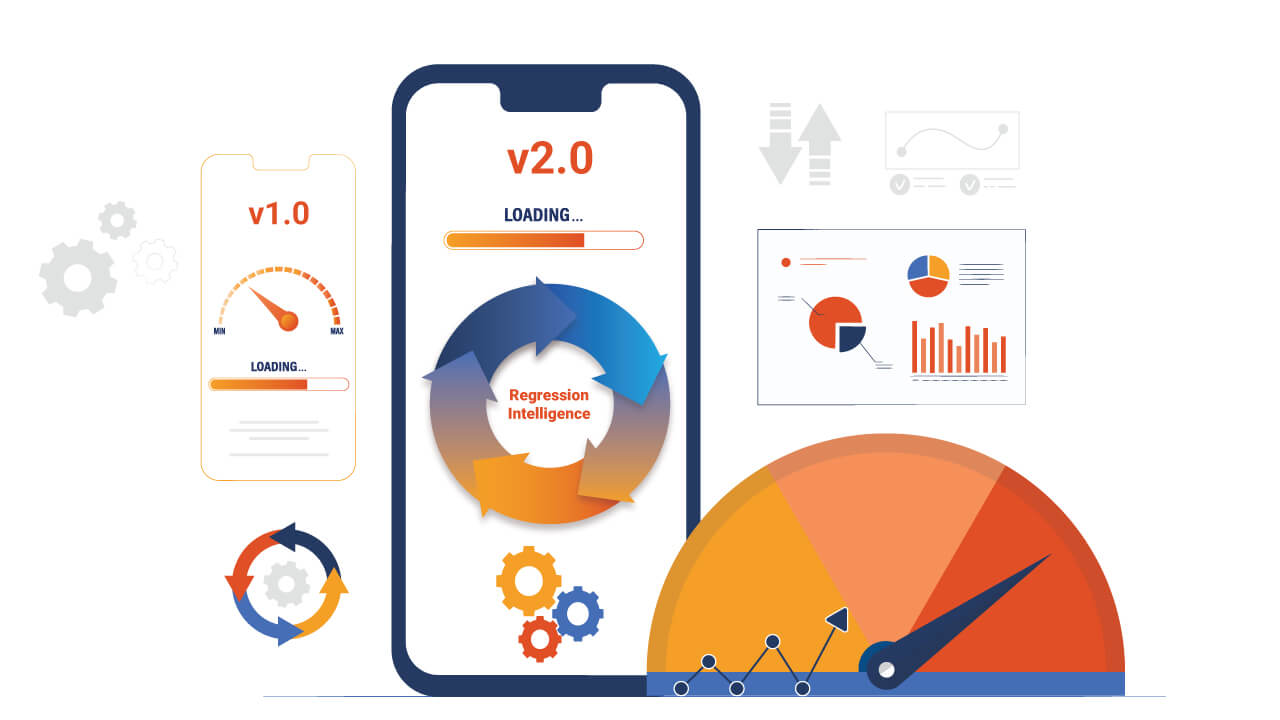
Its Waterfall UI combines performance data with session recordings, helping teams investigate the timing of application events and identify potential bottlenecks. HeadSpin also provides Regression Intelligence to compare performance KPIs across builds and test sessions.
These capabilities are useful when evaluating mobile and web application responsiveness, network-dependent behavior, sustained device performance, and performance regressions.
Conclusion
Understanding the types of performance testing helps teams select methods that match their application's performance requirements and risks.
Load testing validates expected demand, stress testing examines behavior beyond normal operating conditions, and spike testing evaluates sudden traffic changes. Endurance, volume, and scalability testing address different concerns related to sustained operation, data growth, and system expansion.
Other approaches, such as capacity and network performance testing, provide additional information when applications have specific workload or connectivity requirements.
The most effective strategy is to define clear performance objectives, choose relevant test scenarios, measure meaningful metrics, and repeat testing as the application evolves.
Combining backend performance measurements with real-device testing can also help teams understand whether an application performs well from both a system and user perspective.
FAQ's
Q1. Which type of performance testing should be performed first?
Ans: Start with a small performance smoke test to verify the test setup and scripts. Then establish a baseline and run load testing under representative expected traffic. Additional tests should be selected according to the application's risks and requirements.
Q2. What is the difference between spike testing and peak testing?
Ans: Spike testing focuses on sudden, rapid changes in workload. Peak testing evaluates performance at the highest anticipated demand, which may increase gradually or remain sustained. The difference is primarily the traffic pattern being tested.
Q3. Can performance testing be automated?
Ans: Yes. Performance tests can be automated and incorporated into CI/CD workflows. Teams can use automated scripts to generate workloads, measure performance metrics, and check results against defined thresholds. Longer or more resource-intensive tests may be scheduled separately from routine build checks.
Q4. Is real-device testing necessary for performance testing?
Ans: Real-device testing is especially valuable when evaluating mobile app responsiveness, device resource usage, network behavior, and user-facing performance. Backend load-testing tools remain important for evaluating APIs and server capacity. The two approaches address different concerns and can be used together.