


AI-Powered Key Takeaways


Table of Contents

Choosing the right mobile app testing tool involves defining testing requirements, identifying device and OS coverage, evaluating automation compatibility, assessing performance insights, and validating security, scalability, and costs. A structured evaluation framework and proof of concept help teams select a tool that supports their current testing needs and future release requirements.
What is a mobile app testing tool?
A mobile app testing tool is software that helps QA and development teams execute tests, identify defects, and validate the functionality, compatibility, performance, security, or usability of mobile applications.
Depending on their purpose, mobile app testing tools fall into several categories:
- Test automation frameworks automate interactions with mobile applications and validate expected outcomes.
- Mobile device testing platforms provide infrastructure for manual and automated test execution across devices and operating systems.
- Performance testing tools measure application responsiveness, resource consumption, network behavior, and other performance indicators.
- Accessibility testing tools identify accessibility issues that may prevent people with disabilities from using mobile applications.
- Security testing tools assess mobile applications for vulnerabilities and security weaknesses.
- AI-powered testing tools assist with test creation, execution, maintenance, or failure analysis.
Mobile app testing frameworks and testing platforms serve different purposes. For example, Appium provides an open-source UI automation ecosystem, while a mobile device cloud provides infrastructure on which supported automated tests can run.
A comprehensive mobile testing strategy often combines multiple tools rather than relying on a single solution for every testing requirement.
How to choose a mobile app testing tool in 7 steps
The most effective way to choose a mobile app testing tool is to establish testing requirements, define measurable evaluation criteria, shortlist compatible solutions, and validate their capabilities through a proof of concept.
The following seven steps provide a framework for selecting a mobile app testing tool.
Step 1: Define your mobile app testing requirements
Mobile app testing tool selection should begin with the application risks, testing objectives, and release requirements that the tool must address.
Identify whether your team needs to test:
- Native, hybrid, or mobile web applications.
- Functional workflows and regression scenarios.
- Application performance and responsiveness.
- Compatibility across devices and operating systems.
- Accessibility and usability.
- Network interruptions and connectivity changes.
- Security-sensitive user journeys.
Prioritize critical user journeys based on business impact.
For example, a banking application may prioritize authentication, biometric login, and fund transfers. A streaming application may require video startup time, playback quality, and buffering measurements.
Document these requirements and separate mandatory capabilities from optional features before evaluating tools.
Step 2: Identify device, OS, and network coverage requirements
Mobile testing tools should provide access to the device models, operating system versions, and network conditions that represent an application's target users.
Use application analytics to identify commonly used devices, supported OS versions, screen sizes, and geographical markets. Include lower-end devices and older supported operating systems where they represent meaningful business risks.
Consider whether the testing infrastructure supports:
- Physical Android and iOS devices.
- Required device models and OS versions.
- Different screen sizes and hardware configurations.
- Wi-Fi and cellular connectivity.
- Target geographical locations.
- Parallel test execution.
A large device catalog does not automatically translate into better coverage. Verify whether the specific devices your team requires are available with sufficient capacity.
Step 3: Evaluate automation framework compatibility
Mobile app testing tools should support your team's existing automation frameworks, programming languages, and test execution workflows.
Replacing an established automation framework can increase migration effort, training requirements, and script maintenance costs.
Evaluate support for frameworks such as Appium, Espresso, and XCUITest. Check whether existing scripts can run with minimal modifications and whether the platform supports the framework versions and capabilities your application requires.
During evaluation, migrate a representative subset of existing test cases rather than creating an entirely new test suite for each tool.
Step 4: Assess reporting and debugging capabilities
Mobile app testing tools should provide enough diagnostic information for engineers to understand why a test failed, reproduce the issue, and investigate its underlying cause.
A test failure report alone may not explain whether the problem originated from the application, device, network, automation script, or testing infrastructure.
Evaluate the availability of:
- Screenshots and session recordings.
- Application and device logs.
- Network request information and timing data.
- CPU, memory, and other relevant performance metrics.
- Failure categorization and historical comparisons.
- Exportable reports and diagnostic artifacts.
For example, when a checkout screen takes unusually long to load, correlated network timings, device metrics, and session recordings can help engineers investigate the delay more effectively than a failed assertion alone.
Step 5: Review security, integration, and scalability
Mobile testing tools must fit an organization's security requirements, development workflows, and expected testing volumes.
Verify whether the tool integrates with your existing CI/CD pipelines, issue tracking systems, and test management workflows.
Enterprise teams should also review access controls, authentication options, data retention policies, encryption, device cleanup procedures, and available deployment models.
Scalability requires particular attention. A platform that runs five tests successfully may behave differently when multiple teams submit hundreds of tests simultaneously.
Evaluate device availability, supported concurrent sessions, queue times, and the process for expanding capacity as testing requirements grow.
Step 6: Calculate the total cost of ownership
The total cost of a mobile app testing tool includes licensing, infrastructure, engineering effort, script maintenance, training, and operational expenses.
A tool with a lower subscription price may require more internal resources to maintain devices, investigate failures, or update test scripts.
Calculate the expected annual cost using the following components:
Total annual cost = Licensing + Infrastructure + Implementation + Maintenance + Operational expenses
For AI-powered tools, include any usage-based charges associated with test generation, execution, or maintenance.
Also review contract limits, additional concurrency charges, device reservation costs, premium support, and data retention fees where applicable.
Compare the total cost against measurable improvements in test coverage, execution efficiency, and debugging effort.
Step 7: Run a proof of concept
A mobile testing tool proof of concept (PoC) validates whether a shortlisted solution can meet an organization's actual testing requirements under representative conditions.
Use the same application build, device matrix, test scenarios, and evaluation criteria across shortlisted tools.
A practical proof of concept should include:
- Migrating and executing existing automation scripts.
- Running critical user journeys across Android and iOS devices.
- Repeating tests to measure execution reliability.
- Running parallel tests to assess capacity and queue times.
- Investigating deliberately introduced or known failures.
- Integrating test execution into an existing CI/CD workflow.
- Measuring setup, execution, and maintenance effort.
Record the results in a standardized scorecard. Select the tool based on demonstrated capabilities rather than vendor demonstrations alone.
Mobile app testing tool selection criteria
Mobile app testing tool selection criteria should measure how well a solution supports test coverage, automation, execution reliability, diagnostics, security, and operational efficiency.
The following criteria provide a starting point for a technical evaluation.
Establish acceptable thresholds for each criterion before beginning the evaluation.
For example, a team may require at least 95% coverage of its priority device matrix or a regression execution window of less than 60 minutes. These are illustrative targets, not universal industry benchmarks.
Mandatory requirements, such as a specific deployment model or security control, should function as pass-or-fail criteria rather than ordinary weighted preferences.
Mobile testing tool scorecard (free template)
A mobile testing tool scorecard is a weighted evaluation matrix that allows QA and engineering teams to compare shortlisted solutions against consistent technical and business requirements.
The scorecard assigns greater importance to capabilities that directly affect an organization's testing objectives.
Mobile testing tool evaluation template
Copy the following template into a spreadsheet and complete it during your proof of concept.
How to score mobile testing tools
Assign each tool a rating between one and five based on documented evaluation results:
- 1: Does not meet requirements.
- 2: Partially meets requirements with significant limitations.
- 3: Meets minimum requirements.
- 4: Meets requirements with additional benefits.
- 5: Exceeds requirements with demonstrated value.
Calculate the weighted score for each criterion using the following formula:
Weighted score = (Tool rating ÷ 5) × Criterion weight
Add all weighted scores to calculate the tool's overall score out of 100.
For example, a tool rated four out of five for device coverage, with a criterion weight of 15%, receives 12 out of 15 available points.
The suggested weights are a starting point. Adjust them to reflect your organization's requirements. A regulated financial institution may assign greater weight to security, while a streaming service may prioritize network coverage and performance diagnostics.
Any tool that fails a mandatory requirement should be excluded, even if its overall weighted score is higher.
Also Read: Best Android Testing Tools & Frameworks for Automated Testing
Real devices, emulators or a device cloud?
Real devices, emulators, and simulators support different stages of mobile application testing. Emulators and simulators provide convenient virtual testing environments, while physical devices provide the actual hardware and operating conditions needed to validate device-dependent behavior. A real-device cloud provides remote access to physical devices.
Android Developers recommends testing Android applications on physical devices before release. Similarly, Apple's Device Hub documentation identifies hardware-dependent features and performance investigation as reasons to use physical devices.
Mobile testing environment comparison
When should teams use each testing environment?
Emulators and simulators are useful during development for checking UI behavior, application logic, and supported OS configurations.
Physical devices are important when testing battery consumption, thermal behavior, camera-dependent workflows, cellular connectivity, and other hardware-dependent features.
A real-device cloud becomes particularly useful when teams need access to a wider range of devices without purchasing and maintaining every device internally.
A balanced testing strategy uses virtual environments for early feedback and physical devices for scenarios where hardware and real-world conditions affect results.
How to evaluate AI-powered mobile testing tools
AI-powered mobile testing tools should be evaluated based on the accuracy of generated tests, reliability of execution, effectiveness of maintenance capabilities, and measurable reduction in engineering effort.
The presence of AI does not automatically make a testing tool more effective. QA teams should validate how AI behaves when applications change, unexpected screens appear, or genuine defects occur.
1. Test generation accuracy
AI-generated test cases should reflect the intended user journey and include meaningful assertions.
Provide the tool with a representative test scenario, such as completing a purchase, and evaluate whether the generated test correctly handles navigation, form inputs, expected outcomes, and error conditions.
Measure how many generated tests engineers can accept without significant manual corrections.
2. Execution and validation
AI-powered testing tools should demonstrate that generated tests can execute successfully in the required testing environment.
Inspect whether the tool validates UI interactions, handles dynamic elements, and accurately reports failed steps.
A generated script that looks correct but cannot execute reliably offers limited practical value.
3. Self-healing and test maintenance
Self-healing capabilities should reduce failures caused by legitimate application changes without hiding real application defects.
During evaluation, modify an element identifier and verify whether the tool can locate the correct replacement element. Then introduce a genuine functional defect and confirm that the test still fails as expected.
An AI system should never turn a failed business outcome into a passing test simply to preserve execution continuity.
4. Script ownership and explainability
Check whether engineers can inspect, edit, export, and reuse generated test scripts.
Access to generated code, execution logs, and records of AI-driven changes helps teams maintain control over their automation suites and investigate unexpected behavior.
5. Security and operational costs
Evaluate what application data, screenshots, UI information, and test inputs the AI system processes. Review where AI processing occurs, applicable retention policies, deployment options, and usage-based costs.
The most suitable AI-powered mobile testing tool reduces repetitive engineering work while maintaining test accuracy, transparency, and organizational control.
Which type of tool fits your team?
The right mobile testing tool depends on a team's application architecture, engineering skills, testing maturity, device coverage requirements, and operational constraints.
An Android development team may benefit from a native testing framework, while an enterprise QA organization may require centralized device infrastructure, cross-platform automation, and performance analysis.
1. Native mobile development teams
Native frameworks such as Espresso and XCUITest suit developers working closely with Android or iOS application code.
2. Cross-platform QA teams
Cross-platform automation frameworks such as Appium support teams that need to automate user journeys across Android and iOS using a common automation ecosystem.
3. Distributed and growing QA teams
Mobile device clouds provide remote device access and can reduce the operational burden of maintaining physical device labs.
4. Performance-focused engineering teams
Performance testing platforms help teams investigate application responsiveness, network delays, resource usage, and user experience regressions.
5. Regulated enterprise teams
Dedicated or on-premises testing infrastructure may be necessary for organizations with strict data isolation, network access, or compliance requirements.
6. Teams expanding automation coverage
AI-assisted testing tools can help teams create and maintain automated tests, provided the generated outputs meet their reliability and security requirements.
These tool categories are complementary. An enterprise team can use a native testing framework for platform-specific checks, Appium for cross-platform user journeys, and a real-device testing platform for execution and performance analysis.
Specialized requirements may also require separate tools. For example, the OWASP Mobile Application Security project provides dedicated standards and testing guidance for mobile application security assessments.
Common mistakes when choosing a mobile testing tool
Common mistakes when selecting a mobile app testing tool include prioritizing feature counts, overlooking real-device coverage, underestimating maintenance costs, and purchasing a solution without validating it against actual testing requirements.
1. Choosing a tool based on the longest feature list
A tool with numerous features may still lack a capability critical to your application. Evaluate each feature against a documented testing requirement and verify its functionality during the proof of concept.
2. Relying exclusively on emulators and simulators
Virtual testing environments are valuable but cannot fully reproduce every hardware-dependent behavior. Include physical devices in release validation, particularly for performance-sensitive and device-dependent workflows.
3. Ignoring existing automation investments
Selecting an incompatible tool can require substantial changes to existing scripts and development workflows. Measure migration effort before committing to a new platform.
4. Overlooking debugging capabilities
Fast test execution offers limited value when engineers spend significant time investigating failures. Evaluate the quality of diagnostic artifacts and measure how quickly engineers can reproduce and investigate issues.
5. Treating AI capabilities as a substitute for test validation
AI-generated tests can contain incorrect interactions or incomplete assertions. Validate generated tests against expected business outcomes and ensure that self-healing does not conceal defects.
6. Comparing subscription prices instead of total costs
Licensing represents only part of the cost of mobile testing. Include infrastructure maintenance, engineering time, integration, training, and usage-based fees in your evaluation.
7. Skipping the proof of concept
Vendor demonstrations typically showcase selected scenarios. A proof of concept using your own application, test cases, and target devices provides more relevant evidence for tool selection.
Where HeadSpin fits best
HeadSpin is suited to enterprise QA and engineering teams that require real-device functional testing, automation, and detailed performance analysis within their mobile testing workflows.
HeadSpin helps teams evaluate mobile applications through:
- Real Android and iOS devices across global locations, including SIM-enabled devices.
- Integration with automation frameworks such as Appium, Espresso, and XCUITest.
- Collection of 130+ performance KPIs across application, device, and network layers.
- Session recordings, Waterfall UI, and AI-powered Issue Cards for failure investigation.
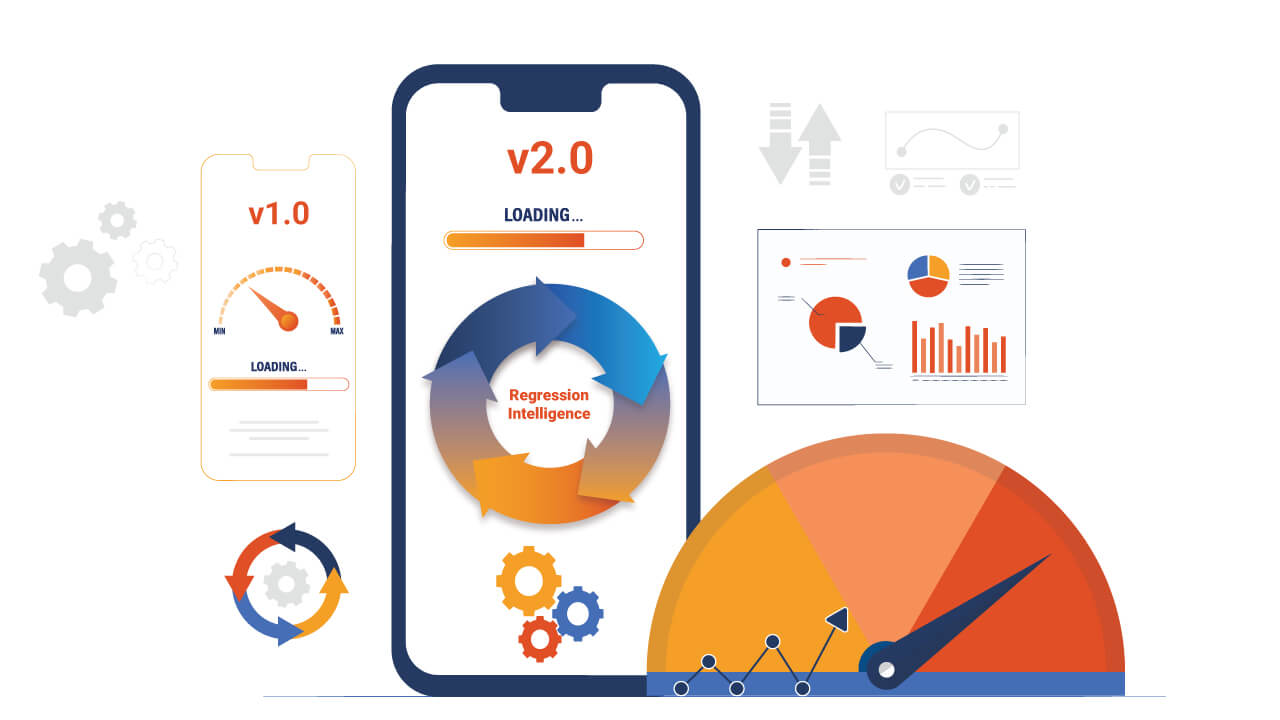
- Regression Intelligence for identifying performance changes across builds.
- Shared cloud, dedicated cloud, and on-premises deployment options.
ACE by HeadSpin also converts natural-language test instructions into executable Appium and Selenium automation scripts and validates test journeys on real devices and browsers.
Teams can evaluate HeadSpin against their own device matrix, automation workflows, and performance requirements during a proof of concept.
Book a demo with HeadSpin to explore how the platform fits your mobile testing strategy.
FAQs
Q1. What factors should I consider when choosing a mobile app testing tool?
Ans: Consider device and OS coverage, automation compatibility, execution reliability, performance insights, security, CI/CD integration, scalability, reporting capabilities, and total cost of ownership. Prioritize these factors based on your application's testing requirements.
Q2. What is the difference between a mobile testing framework and a mobile testing platform?
Ans: A mobile testing framework provides the capabilities needed to write and execute tests. A mobile testing platform provides execution infrastructure and may include device access, reporting, performance analysis, and integrations. Teams frequently use automation frameworks and testing platforms together.
Q3. Are free mobile app testing tools sufficient for enterprise testing?
Ans: Free and open-source tools can support enterprise automation requirements. However, enterprises may also need additional infrastructure for device management, parallel execution, security, reporting, and support. A free tool's suitability depends on the organization's internal resources and testing requirements.