AI-Powered Key Takeaways


Table of Contents

Insurance software handles some of the most sensitive moments in a person's life. A customer gets a quote, buys a policy, pays a premium, and, on a bad day, files a claim. Every one of those steps runs through an application, and every one of them has to work.
That's why insurance application testing matters. It checks that quotes are priced correctly, policies are issued with the right terms, claims move through the right steps and customer data stays protected. When any of that fails, the cost is more than a bug report. It can mean a wrongly priced policy, a delayed payout, a regulatory fine or a customer who leaves.
This guide covers insurance testing types, key modules, sample scenarios, automation, tools, best practices, checklists, and metrics.
What Is Insurance Application Testing?
Insurance application testing is the process of verifying that insurance software functions correctly, calculates premiums accurately, processes policies and claims as expected, protects customer data, and meets regulatory requirements. It covers applications used for quoting, underwriting, policy administration, billing, claims management, and customer services across web and mobile platforms.
Testing helps ensure that insurance workflows follow business rules, data moves correctly between connected systems, and customers and employees can complete their tasks without errors.
Why Is Insurance Application Testing Important?
Insurance apps carry money, personal data and legal commitments. Testing protects all three.
- Accurate pricing and coverage. A rating bug that quotes the wrong premium can cost an insurer money or turn customers away.
- Customer trust. Policyholders expect to buy, pay and claim without friction. Slow or broken digital journeys push them to competitors, or to the phone.
- Regulatory compliance. Insurers answer to data protection, privacy and industry rules. In the US, the NAIC Insurance Data Security Model Law has been adopted by more than 20 states and expects insurers to assess risks, oversee third-party providers and report cybersecurity events quickly.
- Data security. Applications store identity details, financial information and sometimes health records, which makes them a target.
- Cost control. A defect found during testing costs far less to fix than one found after a policy has been issued or a claim paid incorrectly.
- Faster releases. Reliable testing lets teams ship product updates, rate changes and new features without fear of breaking what already works.
What are Key Modules to Test in an Insurance Application
Insurance application testing should cover the core modules that handle policy pricing, issuance, underwriting, claims, payments, and customer interactions.
1. Quoting and Rating
- Premium calculations, discounts, surcharges, and taxes
- Eligibility rules and product availability by region
- Quote creation, retrieval, and expiry
2. Policy Administration
- Policy issuance, renewal, endorsement, and cancellation
- Mid-term changes and premium adjustments
- Policy document generation and updates
3. Underwriting
- Risk assessment and eligibility rules
- Automatic approvals and manual referrals
- Approval limits and role-based permissions
4. Claims Management
- Claim submission with supporting documents and photos
- Claim assignment, status updates, and approval workflows
- Reserve calculations and payout processing
5. Billing and Payments
- Premium schedules, installments, and late fees
- Payment processing, refunds, and failed transactions
- Payment reconciliation with accounting systems
6. Customer Portals and Mobile Apps
- Registration, login, and identity verification
- Policy details, digital ID cards, and document downloads
- Claim filing, premium payments, and notifications
7. Agent and Broker Portals
- Quote generation and application submission
- Commission calculations and statements
- Customer data access and role-based permissions
8. Integrations and Reporting
- Data exchange with CRM, document management, and e-signature systems
- Integration with external data providers for risk assessment and fraud detection
- Accuracy of regulatory, financial, and operational reports
Types of Insurance Application Testing
No single test type covers everything. Most teams combine the following.
1. Functional Testing
Functional testing checks that each feature works as specified. That includes quote calculation, policy issuance, claim submission and payment processing.
- Example: Enter a driver profile and confirm the premium matches the rating table, including every applicable discount.
2. Integration Testing
Integration testing checks that modules and outside systems pass data correctly. It's often where the most serious insurance defects hide.
- Example: Confirm that a policy change in the admin system updates billing, generates a new document and appears in the customer portal.
3. Regression Testing
Regression testing makes sure a new release, rate change or bug fix doesn't break existing behavior. Insurance products change often, so this is one of the most repeated test types.
- Example: After a new state filing updates tax rules, rerun quote and renewal tests for all other states.
4. Performance and Load Testing
Performance testing measures speed and stability under normal and heavy traffic. Insurers see traffic spikes after storms, wildfires, open enrollment periods and renewal deadlines.
- Example: Simulate thousands of customers filing claims within an hour after a weather event.
5. Security Testing
Security testing looks for weaknesses that could expose customer data or allow fraud. It covers authentication, authorization, encryption, session handling and common web vulnerabilities.
- Example: Try to open another customer's policy by changing an ID in the URL, and confirm access is denied.
6. Compliance Testing
Compliance testing verifies that the application follows the rules that apply to it, such as privacy, consent, record keeping and required disclosures.
- Example: Confirm required disclosures appear before purchase and that consent choices are stored and honored.
7. Usability Testing
Usability testing checks whether customers and agents can complete tasks without confusion. Long forms and unclear error messages are common causes of dropped applications.
- Example: Watch new users file a claim and note where they pause, backtrack or give up.
8. Compatibility Testing
Compatibility testing confirms the app works across browsers, operating systems, screen sizes and devices.
- Example: Verify the claim photo upload works on older Android phones and the latest iPhones.
9. Data Migration Testing
Insurers often move policies from legacy systems to modern platforms. Data migration testing checks that records arrive complete and correct.
- Example: Compare policy counts, premium totals, coverage details and claim histories before and after migration.
10. Accessibility Testing
Accessibility testing checks that people with disabilities can use the application, including with screen readers and keyboard-only navigation.
- Example: Complete a quote using only a keyboard and a screen reader, and confirm all form labels and errors are announced.
11. User Acceptance Testing
User acceptance testing lets business users, such as underwriters, claims adjusters and agents, confirm the software supports their real work before release.
- Example: An adjuster processes a sample claim from intake to payout and signs off on the workflow.
Insurance Application Testing: Sample Test Scenarios
These scenarios give a starting point. Teams should adapt them to their own products and rules.
Insurance Application Testing Challenges
Testing insurance software has some well-known difficulties.
1. Complex and Changing Business Rules
Rating, eligibility and underwriting rules can number in the thousands and differ by product and region. A small rule change can affect many scenarios, so covering every combination by hand isn't realistic.
2. Legacy Systems and Heavy Integration
Many insurers run older core systems alongside newer platforms and outside services. Testing across these connections is slow, and test environments often don't match production.
3. Varying Regulations
Rules differ by state, country and line of business. Teams need to track changes and confirm each one is reflected in the software and its documents.
4. Sensitive Test Data
Real customer data can't be used freely in test environments. Teams need masked or synthetic data that still reflects realistic policies, claims and edge cases.
5. Many Channels and Devices
Customers and agents use web portals, mobile apps, call center tools and third-party sites. Each channel needs the same behavior and the same results.
6. Unpredictable Demand
Catastrophe events, renewal seasons and marketing campaigns create sudden spikes. Performance problems often show up only under these conditions.
7. Frequent Releases
Product changes, rate updates and new features arrive often. Manual regression can't keep up without automation.
How to Build an Effective Insurance Application Testing Strategy
A good strategy keeps testing focused on what matters most to the business.
1. Map the Business Risks
List the journeys where a failure would cost the most, such as rating, issuance, claims and payments. Start testing effort there.
2. Define Scope and Test Levels
Decide which modules, integrations and channels are in scope for each release. Set which checks happen at unit, API, UI and end-to-end levels.
3. Involve Business Experts Early
Underwriters, actuaries and claims staff know the rules best. Ask them to review test cases and expected results, not just final screens.
4. Prepare Safe and Realistic Test Data
Build a data set that covers common and edge-case policies, and make sure personal data is masked or synthetic.
5. Choose What to Automate
Automate stable, repeated, high-value checks first, such as rating calculations, API contracts and regression flows. Keep exploratory and usability testing manual.
6. Set Up Reliable Environments
Keep test environments close to production in configuration, integrations and data. Stub outside services only where needed and keep those stubs up to date.
7. Add Performance, Security and Compliance Checks Early
Don't leave these to the end. Run performance and security tests as part of regular builds so problems surface while they're cheap to fix.
8. Measure and Improve
Track defects, coverage and cycle times, review them after each release and adjust the plan.
How Test Automation Improves Insurance Application Testing
Insurance test automation helps most where tests repeat often and results are predictable. That describes much of insurance software.
What to Automate
- Rating and premium calculations across large sets of inputs
- API tests for quotes, policies, claims and billing services
- Regression suites for core journeys such as quote to bind and first notice of loss to payout
- Data validation after migrations and batch jobs
- Cross-browser and cross-device checks for key customer flows
What to Keep Manual
- Exploratory testing of new features
- Usability and accessibility reviews
- Complex claim scenarios that need human judgment
Benefits
- Faster feedback on every build, so teams can release more often
- Wider coverage of rule combinations than manual testing allows
- Fewer human errors in repeated calculations
- Consistent regression checks after rate or regulatory changes
- More time for testers to focus on risky and new areas
Making Automation Work
Keep tests independent and data-driven, so one rule change doesn't break dozens of scripts. Test at the API layer whenever possible, because it's faster and more stable than UI tests. Run suites in a CI pipeline on every build, and review failing tests quickly so the suite stays trusted.
Why Real Device Testing Matters for Insurance Mobile Apps
Many policyholders now manage insurance from their phones. They show digital ID cards, pay premiums, upload claim photos and track repairs. Emulators and simulators can check basic layouts, but they can't reproduce what happens on real devices in the field.
Real device testing catches problems such as these.
- Camera and photo upload issues when customers document damage
- Biometric login failures on certain phone models
- Push notification delays or failures
- Crashes or slowdowns on older and lower-end phones
- Layout problems on unusual screen sizes and OS versions
- Poor performance on weak or switching mobile networks
- Location and sensor behavior for roadside assistance or telematics features
Testing on real devices in different locations also shows how the app behaves on actual carrier networks. A claim that submits in seconds in the office may crawl on a rural 4G connection, and that's exactly when a stressed customer needs it to work.
Insurance Application Testing Best Practices
1. Test the Whole Customer Journey
Test complete workflows rather than individual screens in isolation. Verify that data moves correctly across systems throughout the customer lifecycle, from quote generation and policy purchase to renewal, claims, and settlement.
2. Make Business Rules Testable
Document rating, eligibility, underwriting, and claims rules in structured tables or configurable formats wherever possible. This makes it easier to validate expected outcomes, identify the impact of rule changes, and maintain test cases as insurance products evolve.
3. Shift Testing Left
Involve QA teams during requirements gathering and design, rather than waiting until development is complete. Review business rules, acceptance criteria, and exception handling early to identify gaps before they become expensive defects.
4. Use Data-Driven Testing
Run the same test cases against different combinations of customer profiles, coverage levels, locations, discounts, and risk factors. This helps teams validate complex rating tables and eligibility rules while increasing coverage without creating a separate test script for every scenario.
5. Protect Test Data
Use masked production data or synthetic datasets to represent common policies, claims, and edge cases without unnecessarily exposing personal information. Restrict access to test environments and apply appropriate data protection controls throughout the testing process.
6. Combine API and UI Testing
Use API tests to validate business logic, calculations, data exchange, and service responses efficiently. Complement them with UI tests that verify critical customer and employee workflows, including quote submission, policy purchase, premium payment, and claim filing.
7. Test for Peak Load
Simulate traffic spikes associated with severe weather events, renewal deadlines, and large marketing campaigns. Measure response times, error rates, and system stability under expected and peak loads. Where possible, include critical third-party dependencies to identify bottlenecks across the transaction flow.
8. Keep Regression Suites Current
Update regression tests whenever insurance products, rating rules, integrations, or regulatory requirements change. Remove obsolete cases, add scenarios for newly introduced risks, and run relevant suites before each release to identify unintended changes in existing functionality.
9. Test on Real Devices and Networks
Validate mobile insurance applications on physical Android and iOS devices across supported OS versions, screen sizes, and network conditions. Pay particular attention to camera-based claim submissions, biometric authentication, payment flows, and document uploads under weak or fluctuating connectivity.
10. Review Compliance Evidence Regularly
Maintain traceable records of test cases, execution results, defects, approvals, and changes to business rules. Review this evidence regularly to identify gaps, support internal audits, and demonstrate that relevant controls and regulatory requirements have been addressed.
Insurance Application Testing Checklist
Use this list as a starting point before each release.
- Quotes calculate correctly for every product, coverage level, region and discount, including edge cases
- Policy issuance, renewal, endorsement and cancellation produce correct premiums, dates and documents
- Underwriting rules route cases correctly for automatic approval, referral and decline
- Claims can be filed, updated, assigned, approved and paid, with correct status shown to customers and staff
- Billing handles installments, refunds, late payments and failed payments without errors
- Integrations with CRM, document, payment and data provider systems exchange complete and accurate data
- Customer and agent roles can only see and do what they're allowed to
- Personal and financial data is encrypted in transit and at rest, and sensitive fields are masked where required
- Login, password reset, multi-factor and session timeout behave securely
- Required disclosures, consents and notices appear at the right steps and are stored
- Web and mobile apps work on supported browsers, operating systems and devices
- Camera, photo upload, biometrics and push notifications work on real phones
- Pages and APIs meet response time targets under normal and peak load
- Apps behave sensibly on slow, interrupted and switching networks
- Accessibility checks pass for key journeys with screen readers and keyboard navigation
- Regression suite passes on the release build, and any failures are explained
- Migrated data matches the source system for counts, totals and key fields
- Audit trails and test evidence are saved for compliance review
Insurance Application Testing Tools
The right tools depend on your stack, but these cover most needs. Open source options come first, with HeadSpin last.
1. Selenium
Selenium automates web browsers and is a common base for web portal testing.
Features
- Supports Chrome, Firefox, Edge and Safari
- Works with Java, Python, JavaScript, C# and more
- Integrates with CI tools and test frameworks
Best for: Cross-browser UI automation of customer and agent portals
Pricing: Free and open source
2. Appium
Appium automates native, hybrid and mobile web apps on Android and iOS.
Features
- Uses the WebDriver protocol, so it feels familiar to Selenium users
- Supports multiple programming languages
- Runs on emulators and real devices
Best for: Automating insurance mobile apps such as claims and policy apps
Pricing: Free and open source
3. Playwright
Playwright automates modern web apps across Chromium, Firefox and WebKit.
Features
- Auto-waiting that reduces flaky tests
- Built-in API testing and network interception
- Tracing, screenshots and video for debugging
Best for: Fast, reliable end-to-end tests of web portals
Pricing: Free and open source
4. Postman
Postman is a popular tool for designing, running and automating API tests.
Features
- Collections and environments for quote, policy and claims APIs
- Test scripts and data-driven runs
- Command line runner for CI pipelines
Best for: API testing of rating, policy and claims services
Pricing: Free plan available, with paid plans for teams
5. Apache JMeter
JMeter is a load and performance testing tool for web apps and APIs.
Features
- Simulates large numbers of users and requests
- Supports HTTP, SOAP, REST, JDBC and more
- Generates reports and integrates with CI
Best for: Load testing quote, claim and payment services
Pricing: Free and open source
6. OWASP ZAP
OWASP ZAP is a security scanner for finding vulnerabilities in web applications.
Features
- Automated scanning and manual testing tools
- Detects issues such as injection and broken access controls
- Can run in CI pipelines
Best for: Early security checks on customer and agent portals
Pricing: Free and open source
7. Cucumber
Cucumber supports behavior-driven development by turning business rules into readable test scenarios.
Features
- Plain-language Given, When, Then scenarios
- Works with Selenium, Appium, Playwright and API tools
- Lets business experts review and contribute to tests
Best for: Making underwriting and claims rules visible to non-technical stakeholders
Pricing: Free and open source
8. HeadSpin
HeadSpin is a testing platform for web and mobile apps on real devices around the world.
Features
- Real devices in 50+ global locations for web and mobile testing
- 130+ performance KPIs and regression tracking across builds
- Works with Appium and Selenium, with session videos and network data for debugging
Best for: Testing insurance mobile and web apps on real devices and networks, with performance insights
Pricing: Custom pricing, with cloud plans and deployment options
Insurance Application Testing Metrics to Track
Metrics show whether testing is working and where to improve.
How HeadSpin Optimizes Insurance Testing
HeadSpin gives insurance teams a way to test web and mobile apps on real devices and real networks, and to see how those apps perform for customers.
- Real devices in 50+ global locations, so teams can test how apps behave on the phones and carrier networks their customers use
- 130+ performance KPIs, plus session videos and network-level data to help find the cause of slow or failing journeys
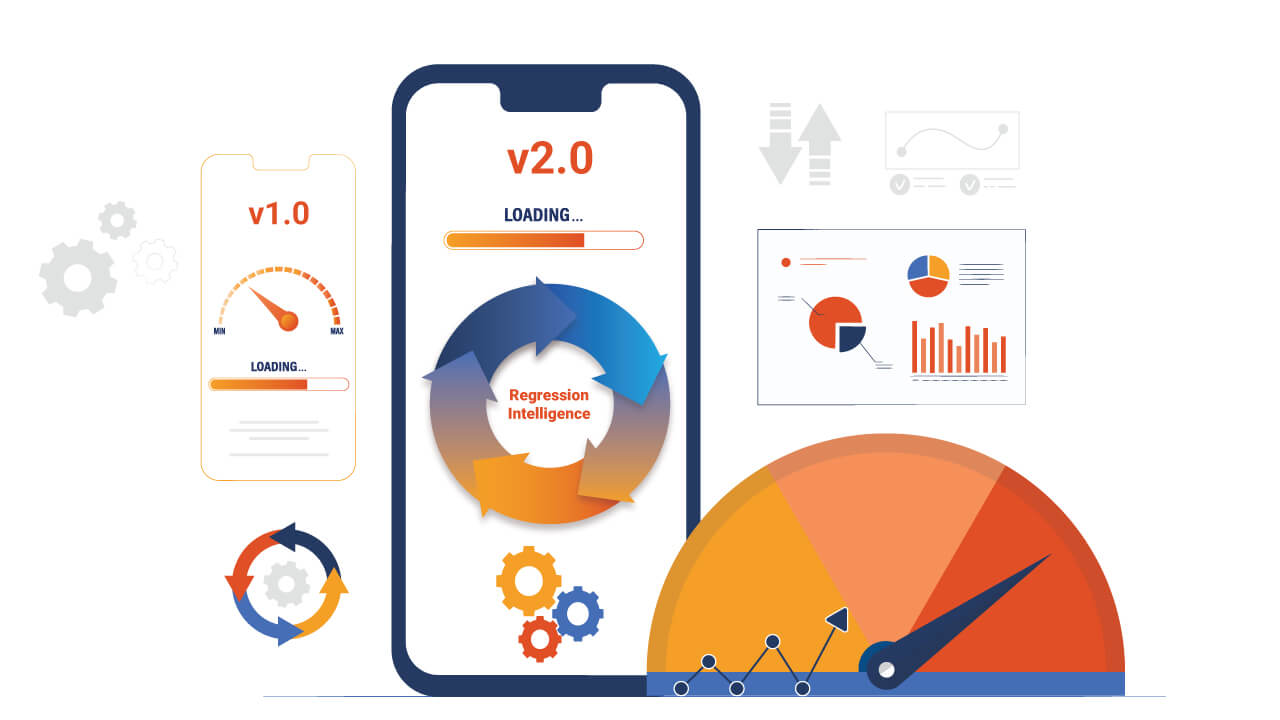
- Regression Intelligence to compare builds and spot performance and functional changes early
- Support for Appium and Selenium, so existing automated tests for claims, quotes and payments can run on real devices
- A SOC 2 compliant platform, with options for cloud, on-prem and air-gapped deployment for teams with strict security needs
Conclusion
Insurance software has to be right every time. A quote has to match the rate table, a policy has to carry the right terms and a claim has to move forward without leaving the customer guessing.
Strong insurance application testing starts with understanding the business risks, then matches the right test types, data and automation to each module. Add performance, security and compliance checks early, and test mobile journeys on real devices and networks.
Teams that want to test insurance apps on real devices and see how they perform for customers can use HeadSpin to cover that part of the plan alongside their existing automation.
FAQ's
Q1. Why is insurance software testing important?
Ans: Insurance apps handle money, personal data and legal commitments. Testing prevents pricing errors, claim delays, data breaches and compliance issues, and helps protect customer trust.
Q2. What are the main types of insurance application testing?
Ans: Common types include functional, integration, regression, performance, security, compliance, usability, compatibility, data migration, accessibility and user acceptance testing.
Q3. Which parts of an insurance application should be tested first?
Ans: Start with the areas where failures cost the most, such as the rating engine, policy issuance, claims handling, billing and any customer-facing portal or mobile app.
Q4. How does insurance test automation help?
Ans: Automation speeds up repeated checks like rating calculations, API tests and regression suites. It lets teams cover more rule combinations, get faster feedback and release more often with fewer manual errors.
Q5. Which parts of an insurance app should be automated?
Ans: Good candidates are stable, repeated and high-value checks, including premium calculations, API contracts, core journeys such as quote to bind and claim intake to payout, and data validation after migrations. Exploratory and usability testing are better done manually.